Cyber Security News Aggregator
.Cyber Tzar
provide acyber security risk management
platform; including automated penetration tests and risk assesments culminating in a "cyber risk score" out of 1,000, just like a credit score.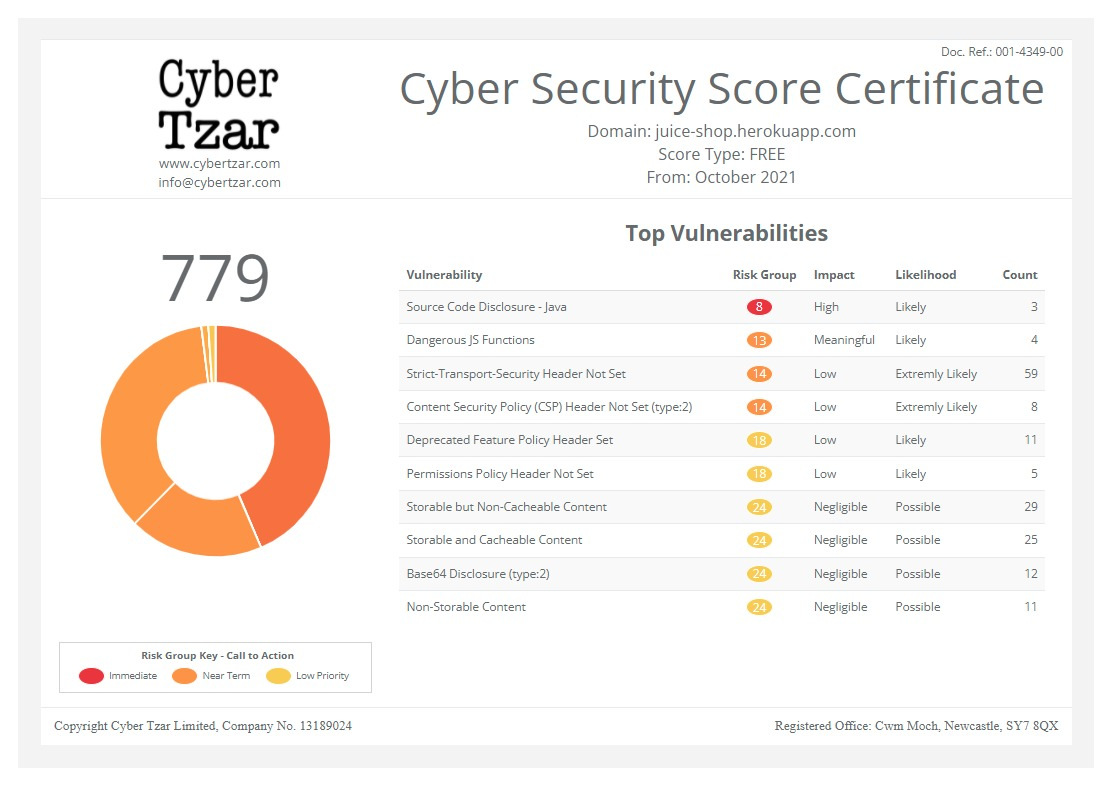
First slide label
Some representative placeholder content for the first slide.
Second slide label
Some representative placeholder content for the second slide.
Third slide label
Some representative placeholder content for the third slide.
Write Good Incident Response Reports Using Your AI Tool
published on 2026-01-14 00:00:00 UTC byContent:
I released an MCP server to give your AI expertise to write good IR reports from raw notes or to get constructive feedback on existing content. You can replicate my approach to codify your own expertise.

How to give your AI tool raw incident notes and get a solid IR report draft? You can now point the tool at my MCP server to receive specialized guidance based on proven writing principles. The server can also provide constructive feedback on existing reports. Your data stays local—it isn't shared with my server.
I codified my IR writing expertise into a format that AI tools can access through MCP. The guidance comes from my preferred IR report template, insights from my RSAC presentation, and the principles I teach in the SANS Cybersecurity Writing course. MCP (Model Context Protocol) lets AI tools request such external knowledge on demand.
Below is how you can connect your AI tool to my MCP server (tl;dr: point it at https://website-mcp.zeltser.com/mcp), why this approach is better than generic AI interactions, and how you can replicate my approach to share your own expertise with the world. (All this assumes, of course, that you're using AI in line with your organization's policies.)
Generic AI Falls Short
Ask a general-purpose AI for help with your IR report and you'll get generic advice. "Include a timeline. Describe root cause. List remediation steps." Helpful, but not distinctive. The AI doesn't know how to frame findings without blame or balance technical detail with executive readability. It lacks the criteria that separate weak reports from strong ones.
This gap matters because your readers are demanding. IR reports go to executives, boards, regulators, and legal teams. They need to understand what happened, why it matters, and what you're doing about it. Generic advice won't help you answer their questions with the clarity and confidence they expect.
Codified Expertise for AI
My MCP server gives your AI access to curated IR writing expertise. The knowledge source is a structured representation of effective IR report writing based on the opinions I've formed through IR experience.
The server provides capabilities that which your AI tool automatically invokes on your behalf:
- IR report creation from raw notes: Your AI receives guidance for key areas, including executive summary, timeline, root cause analysis, actions taken, etc. It also gets incident-type awareness, so ransomware triggers different considerations than a business email compromise.
- Constructive feedback on IR report drafts: Your AI tool evaluates an existing report against specific principles, including the qualities of an effective executive summary, a clear explanation of impact, avoiding blame, prioritized acton items, etc.
- Guidance on other security reports: The server is most effective for incident response scenarios. However, can also provide writing guidance when your AI is working on other types of security reports.
- My other security content: As a bonus, the server will give your AI fast access to other security-focused content I've published over the years on my blog.
Below are simulated interactions with an AI tool to show this approach in action. (You can <a href="https://zeltser.com/media/ir-report-replay.html" target="_blank">open the demo in new tab</a> if you prefer).
<iframe src="https://zeltser.com/media/ir-report-replay.html" title="Demo of Security Writing Assistance" style="width:100%; height:650px; border:none; border-radius:8px;" loading="lazy"
</iframe>
How to Include My Expertise in Your AI
To include my expertise in your AI tool, such as Claude, ChatGPT, and Cursor, point it at my MCP server https://website-mcp.zeltser.com/mcp. For example, you can run this command for Claude Code:
claude mcp add zeltser-search --transport http https://website-mcp.zeltser.com/mcp --scope user
Using MCP for this purpose allows your AI tool to make intelligent decisions when to acquire writing guidance in a way that's token-efficient.
If you don't like this approach, you can manually add my guidance to your environment by downloading it as a zip file with markdown "skills". This approach is not as token-efficient and it doesn't keep up-to-date as my guidance changes over time.
If you prefer to build your own tooling that incorporates my guidance, you can also download my insights as a YAML file, which your software can parse locally and use in a way that fits your needs.
How to Build Your Own MCP Expertise Server
The approach I used generalizes beyond IR reports. Any domain expert can package their knowledge for AI consumption using this mechanism.
I released the underlying framework as the MCP Expertise Toolkit. It provides a template for building MCP servers that deliver specialized guidance to AI assistants. You define your expertise in a YAML file. The toolkit handles the MCP protocol, Cloudflare Workers deployment, and AI-native formatting. It supports any domain where structured guidance improves AI output.
For examples of this toolkit in action, you can see the the annotated demos I generated for:
- Sharing expertise on assessing BBQ quality according to specialized standards.
- Creating useful README files that humans and AI agents can act upon to account for best practices.
Key Takeaways
- Specialized guidance produces better results than generic AI prompts.
- Your incident data isn't shared with the MCP server; it only provides guidelines.
- Connect via MCP, download the YAML file, or use the Skills approach.
- The toolkit lets you build similar servers for your own expertise.
The IR writing server helps with reports and also demonstrates that AI assistants become more valuable when they access curated domain knowledge. Consider what expertise you could codify and share.
https://zeltser.com/good-ir-reports-with-ai/
Published: 2026 01 14 00:00:00
Received: 2026 02 20 11:58:10
Feed: Lenny Zeltser
Source: Lenny Zeltser
Category: Cyber Security
Topic: Cyber Security
Views: 2
