Cyber Security News Aggregator
.Cyber Tzar
provide acyber security risk management
platform; including automated penetration tests and risk assesments culminating in a "cyber risk score" out of 1,000, just like a credit score.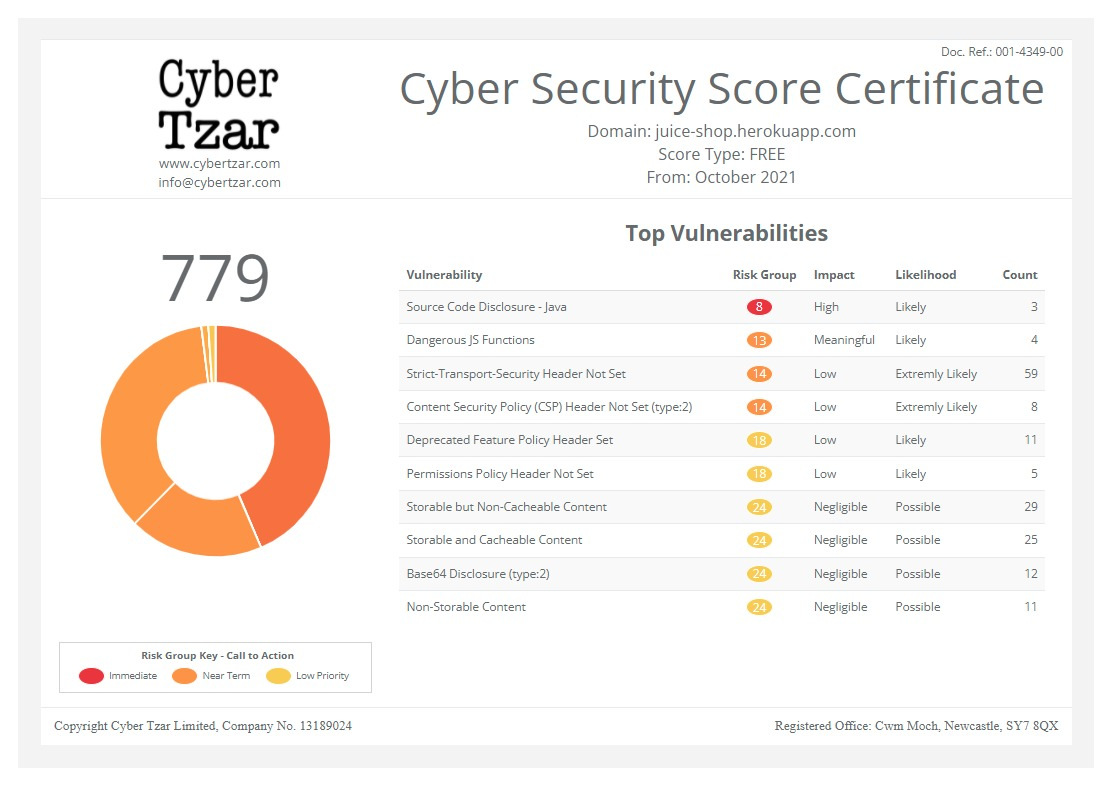
First slide label
Some representative placeholder content for the first slide.
Second slide label
Some representative placeholder content for the second slide.
Third slide label
Some representative placeholder content for the third slide.
What does a firewall do and why is it important for network cybersecurity?
published on 2026-10-13 17:41:43 UTC by SJUK InsightsContent:
Put a server on the internet and give it a public IP. Then watch the logs. Within an hour, sometimes within minutes, something will start knocking. Not a person, usually. Just a script somewhere running through IP ranges looking for an open port, a forgotten admin panel, an SSH service nobody bothered to lock down. That background noise never stops. Most of it is junk, but it only takes one hit on something you left exposed. Firewalls exist to handle that. They sit at the edge of your network and make a call on every connection: does this get through, or does it not? It’s not glamorous work. It’s also the reason most of that scanning traffic never becomes your problem.
What does a firewall do?
A firewall watches incoming and outgoing traffic on your network and decides what’s allowed, based on rules you’ve written in advance. That’s the whole job, more or less.
- Where the traffic came from: the source IP address
- Where it’s trying to go: destination IP
- Which port: 443 for HTTPS, 22 for SSH, 3389 for RDP and so on
- What protocol: TCP, UDP, ICMP
- Which direction: coming in from outside, or heading out from inside
A packet shows up. The firewall runs it down the rule list. The first rule that matches wins; traffic gets through, or it gets dropped. Most sensible configurations end with a catch-all deny, so if nothing explicitly allows it, it doesn’t happen. Outbound traffic gets ignored far too often, and that’s a mistake. Egress filtering, controlling what your internal machines are allowed to talk to, is one of the more useful things you can do. If a workstation gets infected and the malware tries to phone home to some server in a country you’ve never done business with, an outbound rule can stop that cold. Plenty of organisations still let everything walk straight out the front door.
Then there’s logging. Every allow, every deny, timestamped, with the rule that triggered it. This gets tedious to look at, which is precisely why nobody looks at it, and then six months later during an incident investigation, those logs are the only record of what actually happened. Feed them into a Security Information and Event Management (SIEM) system or an intrusion detection system, and they become genuinely useful rather than just archived. Newer boxes do more: virtual private network (VPN) termination, network address translation (NAT), tying rules to user identity from your directory. All fine. But strip it back, and a firewall is still a device that reads packet headers and says yes or no.
How does a firewall work?
The mechanics are straightforward once you’ve seen it happen. Something tries to open a connection. The first packet lands on the firewall’s interface. The firewall pulls the header apart: source, destination, ports, protocol and starts working through the policy. Rules get evaluated in order, top to bottom, and the first match ends the search. Which sounds trivial and absolutely is not. Put a broad “allow” rule above a narrow “deny” and the deny rule may as well not exist.
There are environments where someone added a temporary permissive rule at position 3 during an outage, never removed it and effectively cancelled out 40 carefully written rules underneath. Rule ordering causes more accidental exposure than almost anything else. Once the decision is made, the packet moves on, gets dropped silently, or gets rejected with an ICMP message. On anything internet-facing, drop it. Rejecting tells the person scanning you that something’s there. Dropping tells them nothing.
Traffic filtering
This is network traffic filtering in its most basic form: match on headers, apply allow or deny. You might permit TCP/443 to your web server and block everything else inbound to that host. Or restrict the management interface so it only accepts connections from one admin subnet, a small rule that has saved many people.
Stateful inspection
Here the firewall remembers things. It keeps a table of active connections. When one of your machines opens an outbound session, that gets recorded, and the reply traffic is let back in automatically. Packets pretending to be part of a session that isn’t in the table get dropped. Without this, someone can craft a packet that looks like a legitimate response and walk straight past a simple filter.
Application-level filtering
Layer 7 inspection. Instead of guessing what an application is from its port number, the firewall identifies the actual application. So you can allow Microsoft 365 but block a file-sharing tool riding on the same port. Port-based rules simply can’t make that distinction.
Why is a firewall important for network cybersecurity?
Firewall network security comes down to controlling that one decision, over and over, at scale. Access control is the main thing. Your database server does not need to accept connections from Bulgaria. It probably doesn’t need to accept connections from anywhere outside a couple of application servers. Everyone agrees with this in principle; a firewall is what makes it actually true rather than just an intention written in an architecture document. They’re also useful inside the network, not just at the edge. Drop firewalls between internal zones, and you get network segmentation, so when something in the guest wireless goes bad, it stays there rather than wandering over to finance. Attackers rely on flat networks. Segmentation is how you make their life difficult after the initial compromise. Then there’s what you learn from the logs.
Repeated failed auth attempts. A workstation suddenly talking to an address it’s never contacted before. Traffic volumes at 3 am that make no sense. Firewall logs are frequently the first sign anything is wrong, assuming someone’s watching them. There’s an architectural angle too. Organisations moving toward zero trust security need policy enforcement at many points, not just one perimeter, and firewalls are part of how that gets built.
Compliance drives a fair bit of this as well: Payment card industry data security standards (PCI DSS), ISO 27001, cyber essentials all want documented boundary controls. Fine. But even ignoring auditors, a decent firewall config kills a huge volume of opportunistic attack traffic before it touches anything that could be vulnerable. That’s worth having on its own.
What can a firewall protect against?
Good firewall protection comes down to matching your rules to what’s actually reachable, not just what’s written in the architecture document. Anything that shows up as traffic crossing a boundary you control. Which covers:
- Unauthorised access attempts: connections from places that have no business reaching that service
- Suspicious inbound traffic: malformed packets, spoofed sources, protocol behaviour that doesn’t add up
- Malicious outbound connections: infected hosts trying to reach command-and-control or shipping data out
- Legacy junk: Telnet, SMBv1, plain FTP, all the things that should have been retired years ago
- Port scanning: blocked, and more importantly, logged so you know it’s happening
- Some malware traffic: worm propagation, exploit attempts against known service vulnerabilities, beaconing
- Unapproved applications: peer-to-peer clients, unsanctioned cloud storage, remote access tools people install to get around IT
- Smaller Denial-of-Service (DoS) attacks: rate limits and connection thresholds help, though anything genuinely volumetric needs upstream mitigation
What are the different types of firewalls?
There are several firewall types, each designed to protect networks and devices from unauthorised access. Common types include packet-filtering firewalls, stateful inspection firewalls, proxy firewalls, next-generation firewalls (NGFWs) and cloud-based firewalls, each offering different levels of security and traffic inspection.
Packet-filtering firewalls
The original approach: packet filtering that judges every packet on its own, against static rules. No memory, no session awareness, no idea what came before. Fast and cheap on resources. Also fairly easy to fool, since it can’t tell a genuine reply from a fake one, and it never looks past the header. You still see these as Access Control Lists (ACLs) on routers and switches. As your main perimeter defence in 2026? No.
Stateful firewalls
These track connections in a table. An internal host opens a session, the firewall notes it, and return traffic gets through. Anything claiming to belong to a session that isn’t recorded gets dropped. Much better, still efficient and it understands protocol behaviour well enough to spot a TCP handshake that’s gone wrong. This is the floor. Anything less isn’t really adequate for a business network.
Proxy firewalls
Different model entirely: the proxy terminates the connection and makes its own separate connection outward. Your internal machine never talks directly to the outside world. Strong isolation, and you can inspect content properly. Downsides are latency and the fact that you need proxy support for each protocol. Common in high-security environments and web filtering setups.
Next-generation firewalls
Stateful inspection plus application awareness, built-in intrusion prevention system (IPS), transport layer security (TLS) decryption, identity integration, threat feeds. The practical benefit is rules like “marketing can use this platform but can’t upload files to it” — which requires the firewall to know who the user is and what app they’re running. TLS inspection matters too, given nearly all web traffic is encrypted now, and a firewall that can’t see inside it is guessing. Cost is higher and so is complexity. Worth being honest about that when comparing a network security firewall: a feature-rich box that nobody has time to configure properly isn’t better than a simpler one that’s well maintained.
Can a firewall stop all cyber-attacks?
No, a firewall cannot stop all cyber-attacks. While it blocks unauthorised network traffic and helps prevent many threats, it cannot protect against phishing, malware from trusted sources, weak passwords or human error.
Phishing is the obvious gap
Someone gets an email, clicks, types their password into a convincing fake login page. From the firewall’s perspective, that’s an outbound HTTPS request from a normal workstation. There’s nothing to block.
Stolen credentials, same story
The attacker logs into the VPN with a real username, real password and maybe a hijacked multi-factor authentication (MFA) token. Every packet matches an allow rule because it’s supposed to. Perimeter controls don’t help much there. Neither do they help with a compromised laptop, a malicious USB stick, or a poisoned software update.
Plain misconfiguration
Verizon’s data breach investigations report (DBIR) has flagged misconfiguration as a real contributor to breaches year after year, and rule sets that have accumulated cruft over a decade of change requests turn up in nearly every assessment I’ve read about. NIST’s guidance on firewall policy — SP 800-41 — makes the same point: the policy matters far more than the hardware.
Firewall best practices for effective network protection
To maximise network security, configure your firewall with a default-deny policy, regularly update its firmware and security rules and allow only necessary traffic. Monitor firewall logs, enable intrusion prevention features when available and review access rules periodically.
Review the rules
At least quarterly, work through your firewall security rules: find the rules nobody uses, the ones that overlap, the ones that are far too broad, the ones shadowed by something above them. Every rule should have a reason and a name attached to it. Rules with neither should go.
Default deny, then allow specifics
Start closed. Open only what’s needed. Avoid “any” in source and destination fields wherever you possibly can, and you can avoid it more often than people assume.
Shut down what shouldn’t be exposed
Go and actually check what’s reachable from outside rather than trusting the documentation. Management interfaces, RDP, and database ports should not be sitting on the public internet. They frequently are.
Patch the firewall itself
Edge security appliances have been on the receiving end of some seriously nasty vulnerabilities in the last few years. The device protecting the network is also a target on the network.
Log, and then read the logs
Central collection, alerting on things like denied admin access attempts or weird outbound destinations, retention long enough that an investigation six months later isn’t hopeless. Logs nobody reads are just disk usage.
Final verdict
A firewall reads network traffic, checks it against rules you wrote, and decides what crosses the boundary. It shrinks what’s exposed, enforces who can talk to what, supports segmentation and produces the log data you’ll be very glad to have when something goes wrong. The firewall benefits are straightforward even before you factor in the advanced features: less exposure, tighter control and a paper trail when something goes wrong. It won’t stop phishing. It won’t stop someone using a stolen password. It won’t help when the problem is already sitting on an endpoint inside your network. But as one layer alongside endpoint protection, monitoring, identity controls and people who’ve been trained to be suspicious of emails, it earns its place easily. The device isn’t really the variable. The care taken over the rules is.
Faqs
What does a firewall do for network security?
It watches traffic going in and out and allows or blocks it based on rules covering IP addresses, ports and protocols. That controls which systems can reach each other, cuts down what’s exposed to the internet and produces logs you can use for monitoring and investigations.
How does a firewall protect against unauthorised access?
Default deny does most of the work: if a connection doesn’t match a rule that explicitly permits it, it’s blocked. So someone scanning your range finds nothing reachable. Stateful inspection adds another layer by dropping packets that claim to belong to a session the firewall never recorded.
What are the main types of firewalls?
Packet-filtering (static rules, no session memory), stateful (tracks active connections), proxy (terminates connections and acts as a middleman) and next-generation (application awareness, IPS, TLS inspection, identity-based rules). Most business networks should be running stateful as an absolute minimum.
Can a firewall block all cyber-attacks?
No. Phishing, stolen credentials, insider threats and compromised endpoints all sidestep it entirely, and a badly configured firewall can create the exposure it was meant to prevent. Treat it as one layer, not the answer.
What is the difference between a firewall and antivirus software?
Firewalls work on network traffic: what can connect to what. Antivirus works on the endpoint, finding and removing malicious files already on the machine. One keeps unwanted connections out; the other deals with harmful code that’s already landed.
https://securityjournaluk.com/what-does-a-firewall-do/
Published: 2026 10 13 17:41:43
Received: 2026 10 13 17:59:58
Feed: Security Journal UK
Source: Security Journal UK
Category: Security
Topic: Security
Views: 5
